Does a Gemini Watermark Remover Preserve PNG Transparency?
In our five controlled PNG fixtures, the saved Alpha channel stayed identical. That did not mean every RGB value or file byte stayed identical: the two transparent marked images changed hidden colors and some visible colors during the browser canvas path. The two clean inputs bypassed processing and retained their original bytes. Treat transparency preservation and exact file preservation as separate checks. These are synthetic fixtures, not native Gemini downloads.
What we actually tested
On 21 October 2026, we made a clean and a synthetically marked pair at 1024 by 768 pixels, then another pair at 1200 by 896. Each transparent file had Alpha 128 over the scene and Alpha zero in its leftmost eighth. The hidden strip deliberately retained nonzero RGB values in the source PNG. This gives the test something to detect when transparent color storage changes.
The marks came from our existing matched-template synthetic fixtures: a 48-pixel star at x=944, y=688 and a 96-pixel star at x=1040, y=736. We added a fifth, fully opaque marked 1024 by 768 control. Changing file transparency did not generate these stars through Gemini; it created controlled inputs for inspecting this particular pipeline.
We ran an instrumented local browser page with the exact production app.js, watermark-gate.js and alpha-maps.js snapshots. All cases used Auto, zero offsets, strength 1.00 and no drawn selection box. The harness called the existing file loader, saved browser-encoded canvas outputs for accepted cases, and retained original file bytes for rejected cases. It also exported the decoded input canvas before cleanup. This was not five uploads through the public file picker.
Alpha stayed; RGB and bytes followed different paths
Both transparent clean cases failed the detection gate and returned byte-identical copies of their source files. Their maximum Alpha difference and maximum RGB difference were zero. Both transparent marked cases passed the gate; so did the opaque marked control. Across all five saved outputs, maximum Alpha difference was zero and the number of changed Alpha pixels was zero.
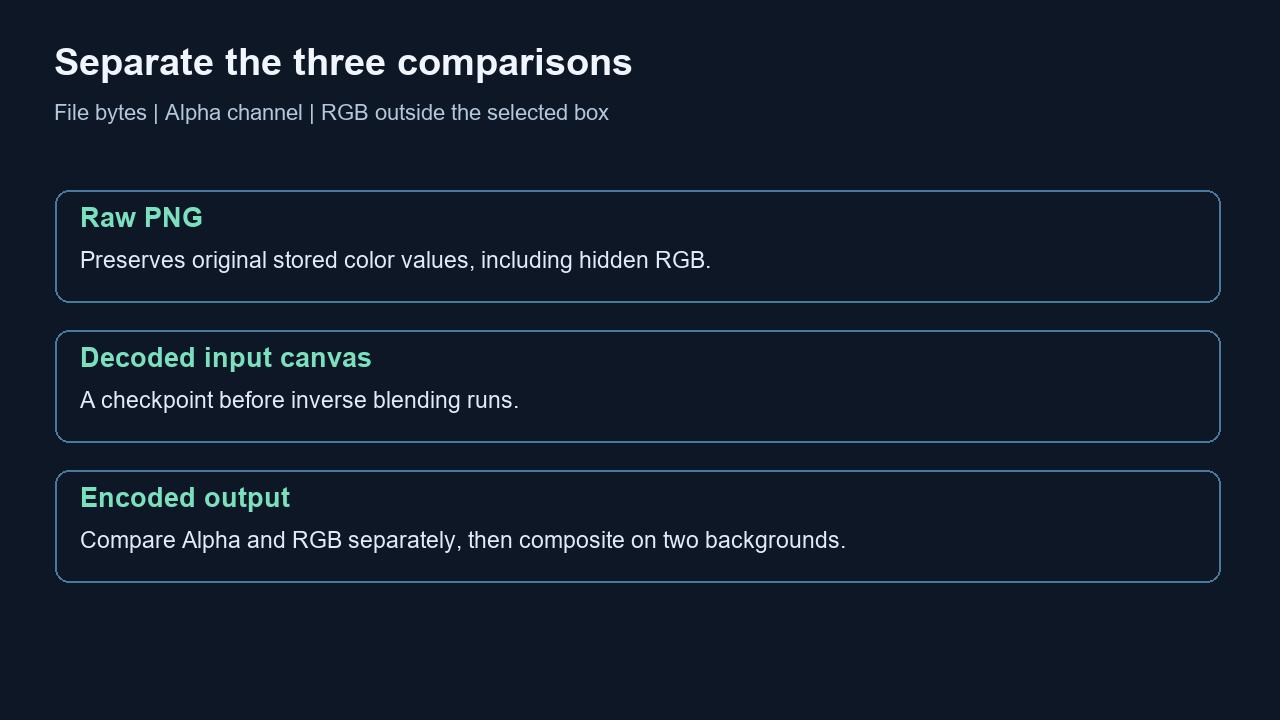
For the accepted transparent 1024 case, 730774 pixels outside the selected cleanup box had at least one changed RGB channel compared with the raw source PNG. The corresponding count for the transparent 1200 case was 987647. Comparing those same outputs against their browser-decoded input canvas instead gave zero outside-box changed RGB pixels in both cases. The distinction is visible before removal and is not evidence that the removal loop edited the rest of the canvas.
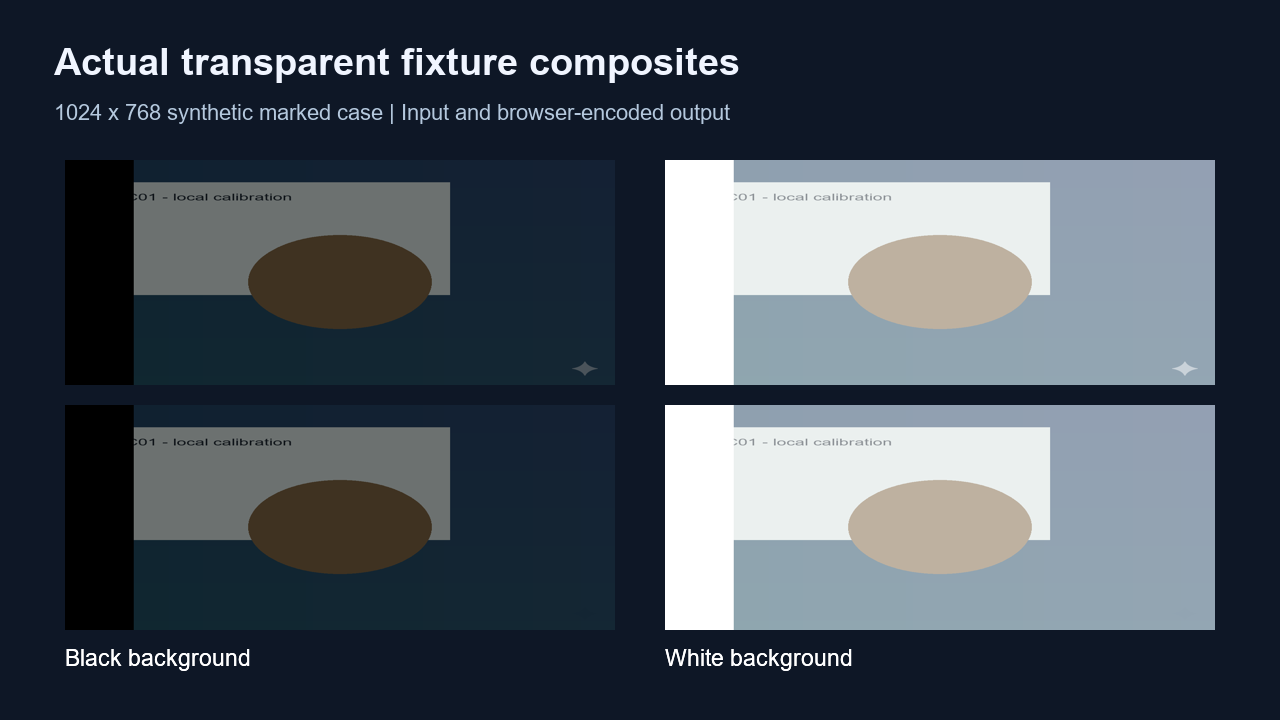
The fully transparent strips contained 98304 and 134400 changed RGB pixels in the two accepted transparent outputs. Their Alpha values stayed zero. Those stored color differences therefore disappear when the strip is composited onto either test background. Retaining the transparent silhouette does not establish retention of hidden RGB data.
The opaque marked control changed zero RGB pixels outside its cleanup box relative to either the raw file or decoded canvas. This comparison separates the ordinary opaque path from the transparent examples. The table does not measure a real-image detection rate, certify perfect star restoration, or prove every browser uses the same internal representation.
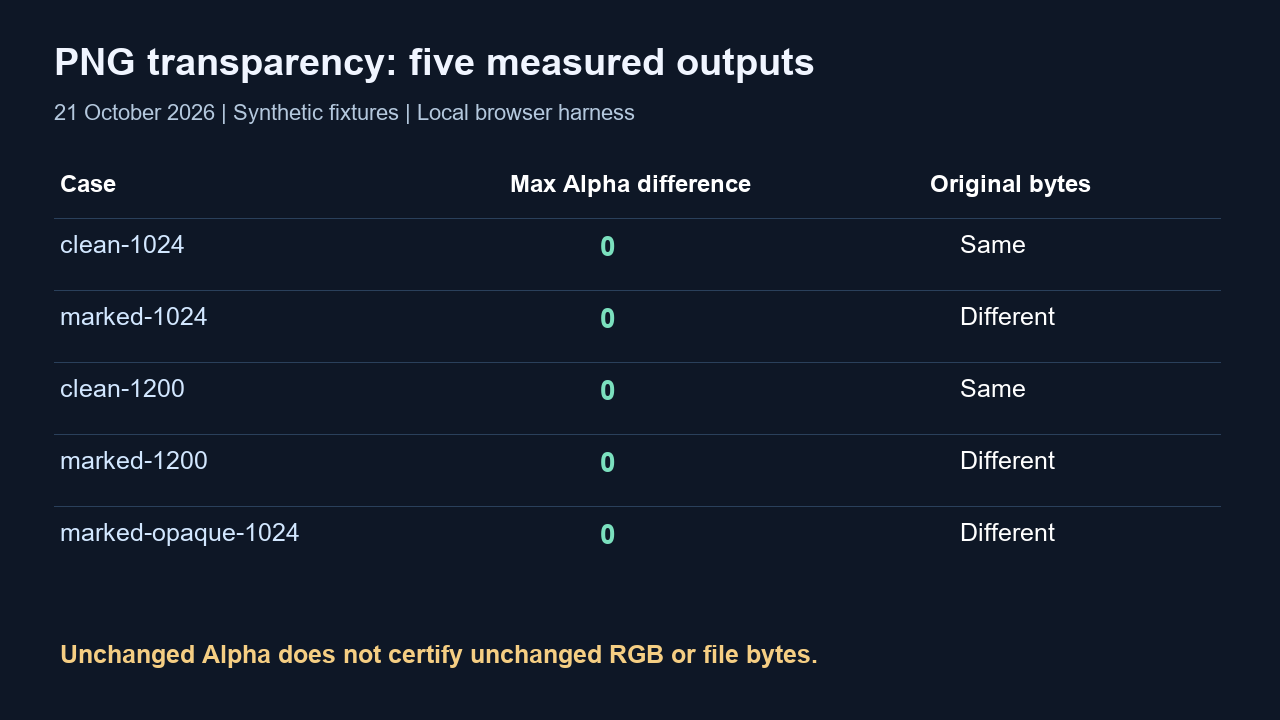
| Case | Gate | Alpha max | Outside RGB vs file | Outside RGB vs canvas | Bytes identical |
|---|---|---|---|---|---|
| clean-1024 | Bypass | 0 | 0 | Not applicable | Yes |
| marked-1024 | Process | 0 | 730774 | 0 | No |
| clean-1200 | Bypass | 0 | 0 | Not applicable | Yes |
| marked-1200 | Process | 0 | 987647 | 0 | No |
| marked-opaque-1024 | Process | 0 | 0 | 0 | No |
How the checks differ
We decoded the input PNG and browser-exported PNG to RGBA with Pillow, then subtracted channels using signed integers. Maximum Alpha difference is max(abs(output Alpha minus input Alpha)) over every pixel. Changed Alpha pixels counts nonzero Alpha differences. Neither measurement includes the three color channels, so a zero Alpha result cannot certify unchanged RGB.
For the outside-box check, we counted pixels where any RGB channel differed, excluding the rectangle selected by the gate. We performed that count twice: once against the original PNG and once against the exported source canvas. The no-watermark bypass outputs were original files rather than canvas exports; their canvas comparison is a diagnostic of the unused decode path, not a claim that bypass changed them.
We also composited each input and output over pure black and pure white using round((RGB times Alpha plus background times (255 minus Alpha)) divided by 255). The JSON records the maximum outside-box composited difference separately for each background. These computed previews make transparent RGB differences easier to interpret without confusing them with changes to opacity.
What this means for a transparent asset
For a cutout, inspect the saved result over both a light and a dark background. If exact hidden colors or byte identity matters to your workflow, keep the source separately and compare the relevant channels instead of relying on a PNG filename or a transparency preview. Our paired file/canvas records provide a concrete example of why those checks answer different questions.
This experiment concerns a visible Gemini sparkle and the file transparency around it. It does not test invisible SynthID, metadata retention, other image editors, or native Gemini generation. Passing the gate means processing ran; it does not by itself certify that every trace of a real star has disappeared.
Scope and reproducible evidence
The sample contains two scene sizes, two transparent clean controls, two matched-map positive controls and one opaque positive control. We retained complete inputs, browser exports, intermediate decoded canvases, gate decisions and engine hashes. The evidence supports only these cases. Mobile rendering of this article is a separate publishing check, not a mobile image-processing experiment.
The reproduction download contains the same browser harness and synthetic fixtures. Serve it locally with Python and open its index page in a browser; the harness exposes the encoded outputs and decoded-input images as links. File-picker interaction timed out in this run, so we used the explicit local harness and report that limitation instead of presenting it as a completed public-interface test.