Why is the PNG bigger after removing a Gemini watermark?
A cleaned PNG can be larger because WatermarkUndo exports a new PNG file, even when the input was a compact JPEG. More bytes do not automatically mean more detail, higher resolution, or a worse edit. Compare dimensions and the edited corner first. Keep the PNG as your editing master; make a separate smaller sharing copy if you need one.
The download format explains the change
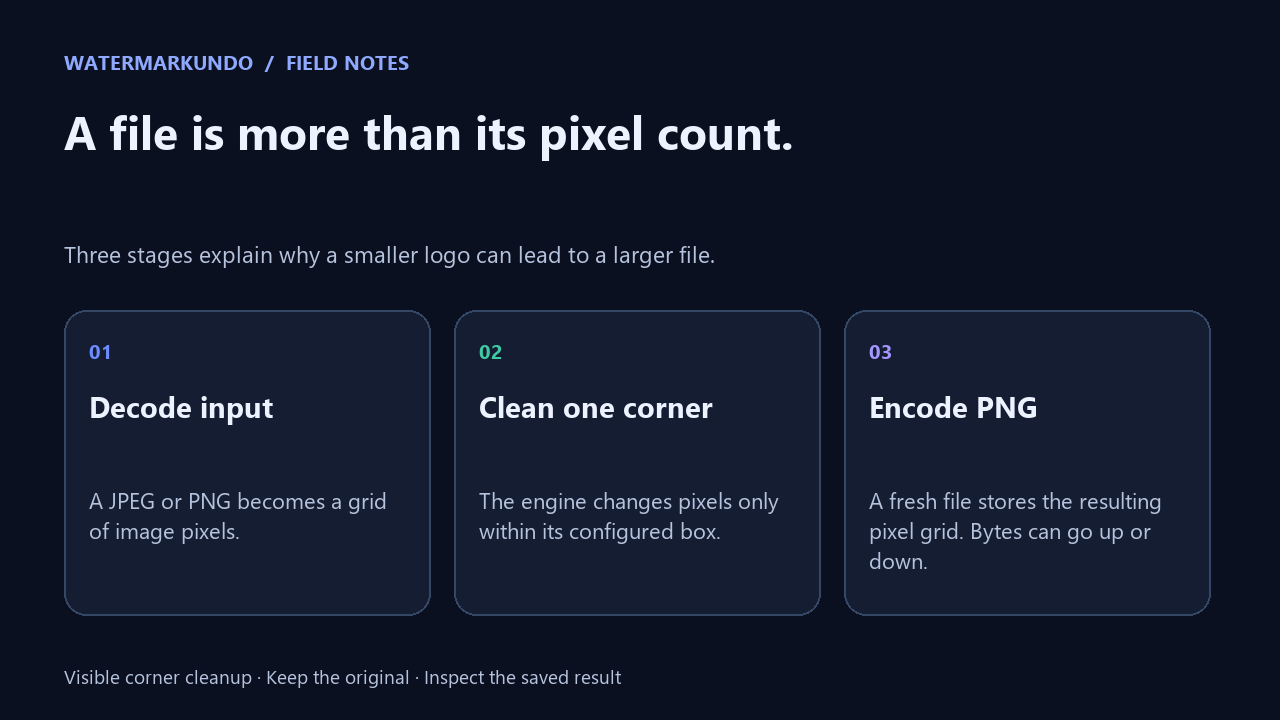
The current tool reads the image, processes the configured corner, and saves its output as PNG. Its download function uses canvas.toBlob with image/png. That is an output format choice, not a file-size target. PNG can preserve the resulting pixels without another lossy JPEG encoding step; it cannot reconstruct detail already lost in an input JPEG.
File bytes, pixel dimensions, and editing quality answer different questions. A 1024 × 768 picture has the same number of pixel positions whether its file occupies a few kilobytes or over a megabyte. The relationship depends on image content and encoding. MDN documents the canvas export API and its PNG format behavior.
Our four-case controlled test
We built two synthetic scenes: flat colored shapes and a textured pattern. These are test fixtures we created, not original Gemini downloads. We added the known 48-pixel alpha-map mark at x=944, y=688 on a 1024 × 768 image, then saved each scene once as PNG and once as JPEG. We passed each decoded image through the actual applyRemoval function extracted from the current site, using strength 1.00.
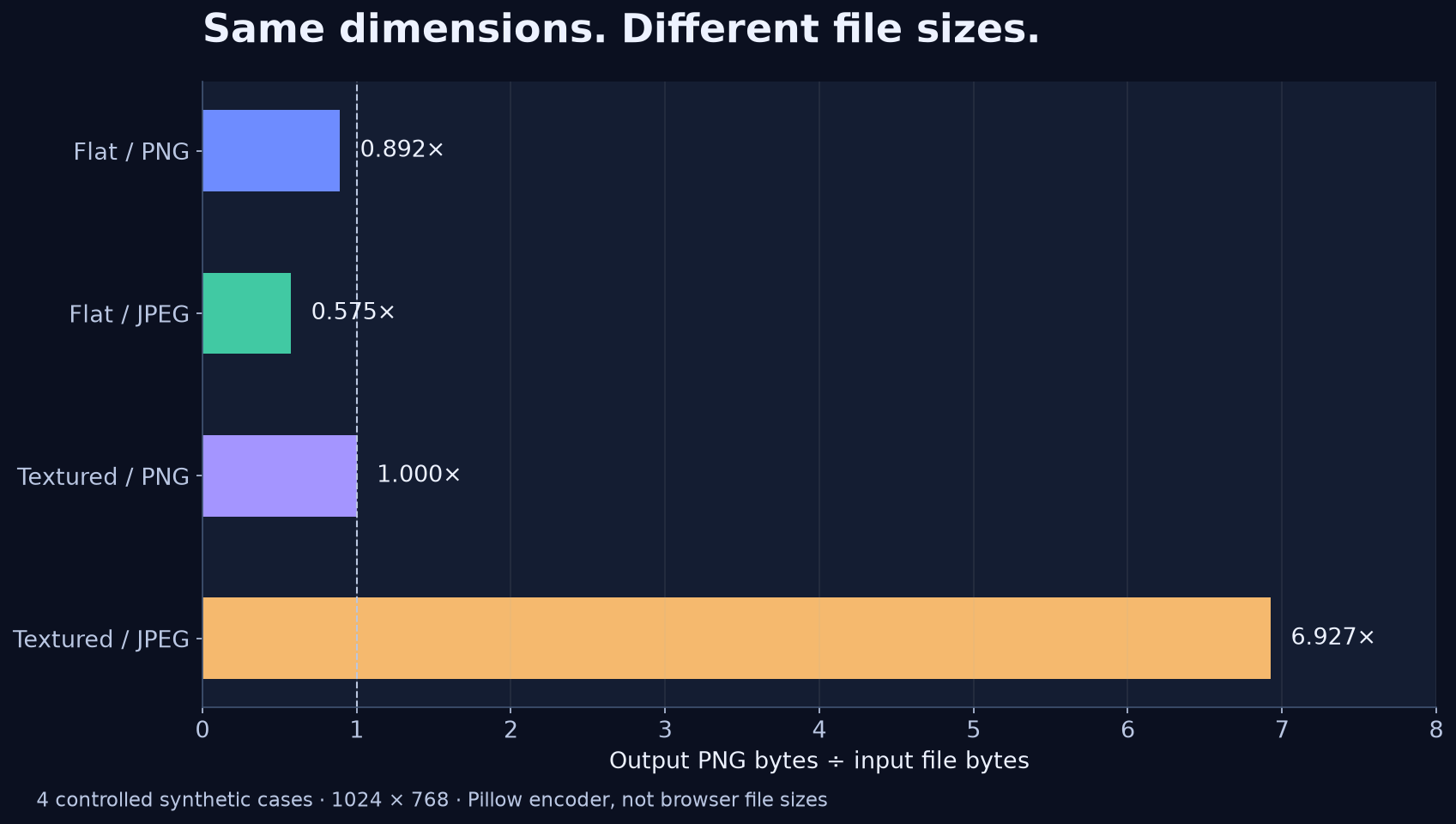
The table reports actual file bytes. The flat JPEG became a smaller PNG, while the textured JPEG became a PNG about 6.927 times the input size. The textured PNG changed by only 15 bytes. Those different outcomes are why a blanket promise that cleanup always makes a file smaller would be misleading.
All four outputs stayed 1024 × 768. Comparing each engine output with its own decoded input found zero changed pixels outside the configured 48 × 48 corner box. Inside that box, 883 pixels changed in each case. This check measures where this engine wrote pixels; it does not establish that every edited pixel is a perfect reconstruction.
| Scene / input | Input bytes | Output PNG bytes | Ratio |
|---|---|---|---|
| Flat / PNG | 5,167 | 4,611 | 0.892× |
| Flat / JPEG | 19,600 | 11,263 | 0.575× |
| Textured / PNG | 1,859,915 | 1,859,900 | 1.000× |
| Textured / JPEG | 225,218 | 1,560,060 | 6.927× |
What the experiment proves, and what it does not
This experiment isolates the cleanup engine and encoding, using the same deterministic fixtures and settings for all four cases. The PNG encoder was Pillow 12.3.0 at compression level 6; JPEG inputs used quality 85 and chroma subsampling 2. The texture seed was 20261018. Browser encoders can produce different byte counts, so these numbers are not a prediction for your browser or a success-rate claim for real Gemini images.
For JPEG inputs, the comparison starts after JPEG decoding. A larger output PNG cannot undo the earlier JPEG compression. For PNG inputs, a small byte change does not mean the entire image has changed: a file can be re-encoded even when most pixel values stay identical. We did not test SynthID removal, metadata retention, every image size, or performance on phones.
A practical acceptance check for your own file
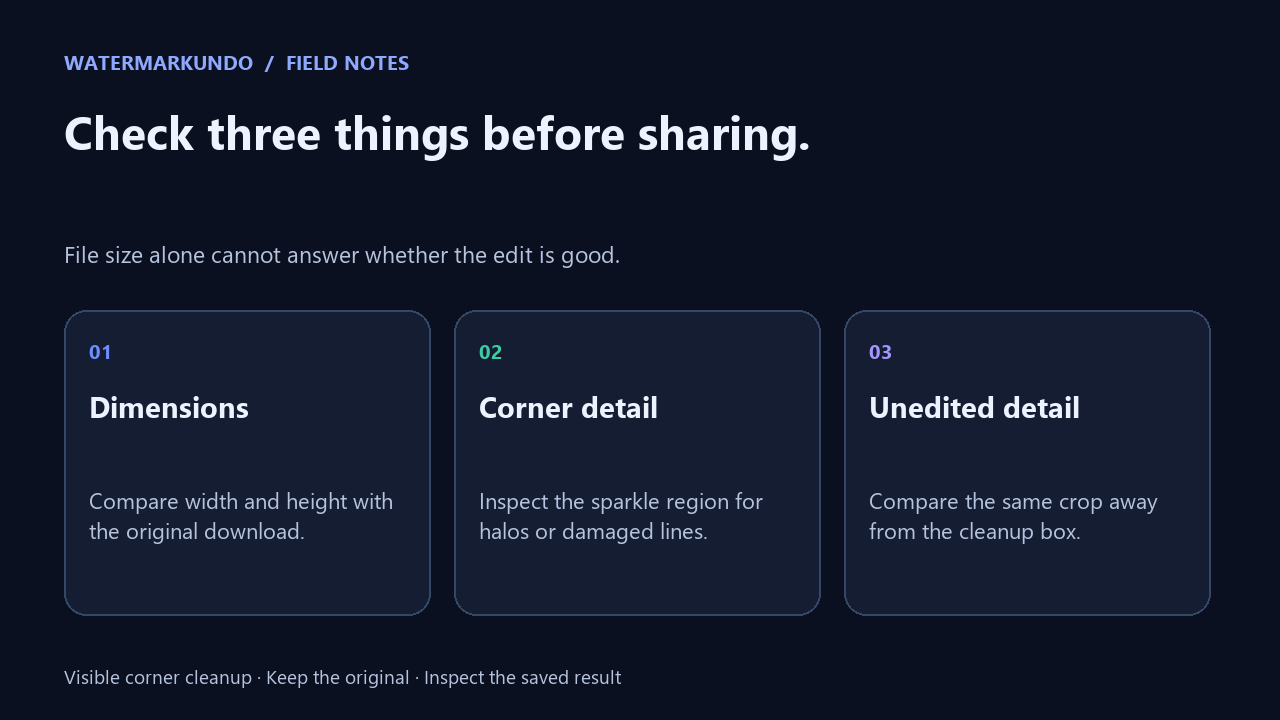
First, save the original and cleaned file under different names. Compare their width and height in an image viewer. If you expected the same canvas and either dimension changed, investigate that change before publishing. For this four-case test, both dimensions remained unchanged.
Next, inspect the lower-right corner at the same zoom in both pictures. Look at nearby straight lines, small text, fabric edges, or gradients. A dark halo, a surviving sparkle, or an interrupted edge matters more than the number of megabytes. Change alignment or strength only when the visual symptom calls for it; a bigger file alone is not a reason to run cleanup again.
Finally, compare one crop away from the cleanup box. Use that area as a control for unintended changes. Our isolated-engine check found zero changed pixels there, but a visual check on your saved file also covers your own download and viewing workflow. Keep the PNG master. If an upload limit requires a smaller file, export a separate sharing copy and check that copy again.
Quick questions
Does a larger PNG mean the tool upscaled my image? No. File size alone does not establish an upscale. Check the saved width and height. Our four controlled cases all remained 1024 × 768.
Will converting a JPEG to PNG restore missing detail? No. The new file can preserve the decoded pixels at that stage; it does not recreate detail lost before the cleanup.
Should I repeatedly remove the mark to reduce file size? No. Cleanup is for the visible supported corner mark. Repeating it is not a compression control; keep the original and judge the corner before another pass.