Why does a Gemini watermark leave a ghost after JPEG compression?
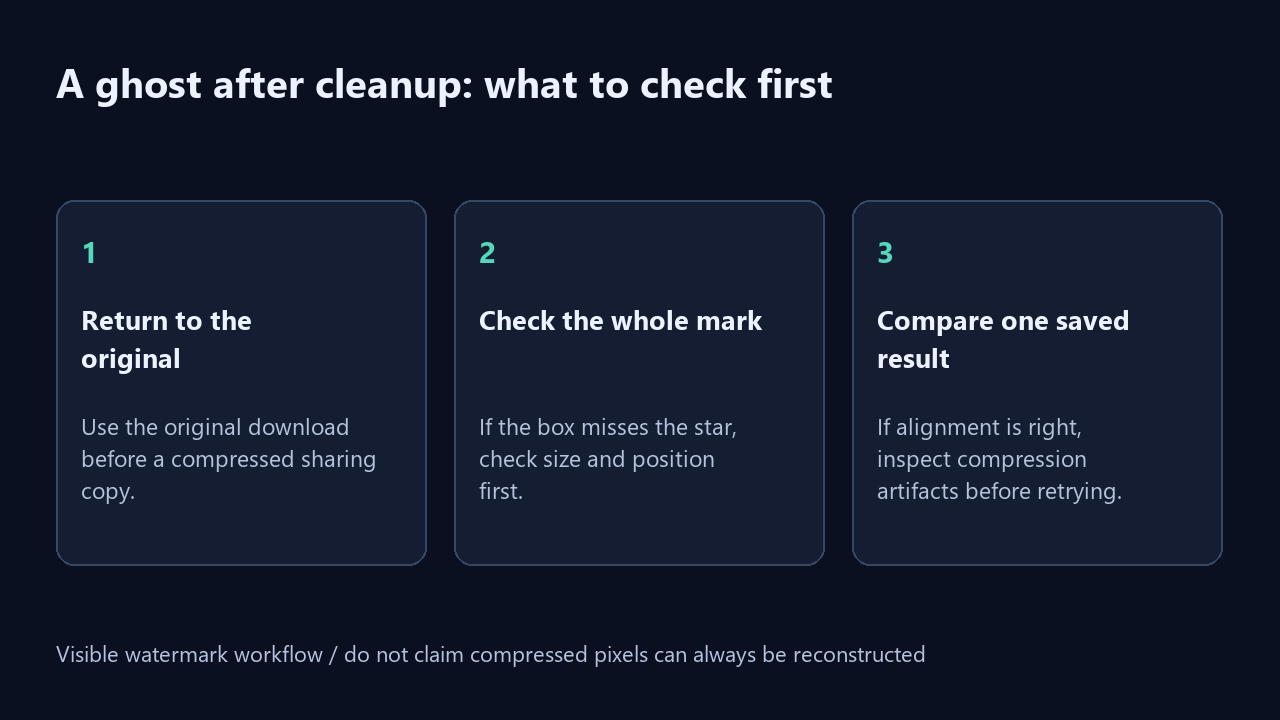
A faint ghost can remain when JPEG compression changes the pixel values that reverse-alpha cleanup relies on. First return to the original download, check that the cleanup box covers the whole visible mark, and compare one saved result. A correctly aligned box cannot guarantee exact reconstruction of a compressed copy. The controlled test below isolates this problem; it is not a success-rate test on native Gemini downloads.
Our fixed-position compression test
On 19 October 2026, we created a flat-color scene and a textured scene at 1024 by 768 pixels. We retained each clean scene as a known original. We then added the site’s known 48-pixel alpha-map mark at x=944 and y=688. These marked images are synthetic fixtures, not pictures downloaded from Gemini with its native watermark. This distinction matters: matching our own mask does not establish compatibility with every real export.
For each scene, we saved one marked PNG and four marked JPEGs at quality settings 100, 95, 85, and 65. Every JPEG used Pillow chroma subsampling setting 2. We decoded each input and ran the actual applyRemoval function extracted from the production engine, with the same box and strength 1.00 throughout. We did not tune the box separately for each quality setting. The experiment isolates the current cleanup calculation, not browser export behavior or automatic watermark detection.
The flat PNG control had corner RGB mean absolute error 0.1218 and a maximum single-channel error of 1 against its known original. At JPEG quality 85, those values became 3.1490 and 34. The textured PNG control had mean error 0.1758 and maximum error 1; its quality-85 JPEG had mean error 10.3384 and maximum error 55. These are measured channel differences in this experiment, not percentages, subjective residual grades, or predicted errors for your photo.
Every cleaned result was unchanged outside the configured box when compared with its own decoded marked input. That does not mean JPEG left the outside area untouched relative to the original scene. Encoding had already changed pixels before cleanup began. The outside-box check tells us where this engine wrote pixels; it does not certify that an entire compressed image was restored.
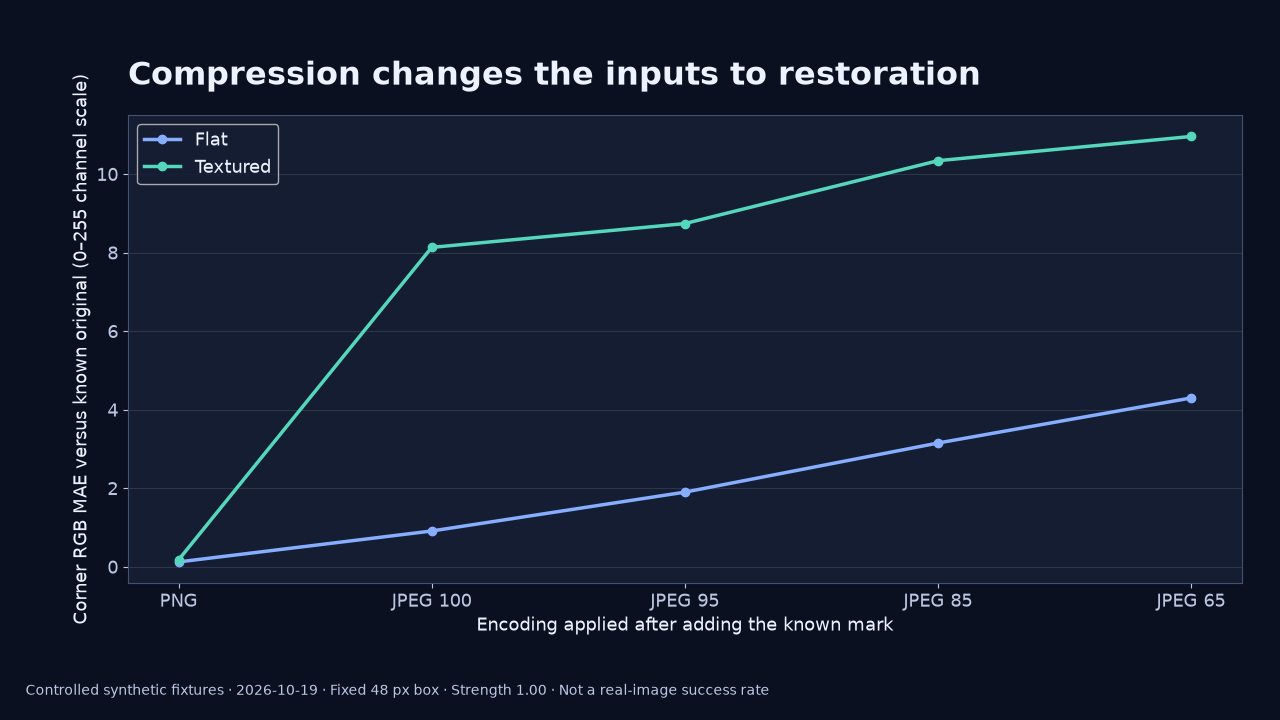
| Scene | Marked input | MAE vs original | Maximum error | MAE vs unmarked same-encoding control |
|---|---|---|---|---|
| Flat | PNG | 0.1218 | 1 | 0.1218 |
| Flat | JPEG 100 | 0.9094 | 14 | 0.8339 |
| Flat | JPEG 95 | 1.8986 | 25 | 1.8066 |
| Flat | JPEG 85 | 3.1490 | 34 | 3.0715 |
| Flat | JPEG 65 | 4.2964 | 41 | 4.2287 |
| Textured | PNG | 0.1758 | 1 | 0.1758 |
| Textured | JPEG 100 | 8.1311 | 47 | 0.8581 |
| Textured | JPEG 95 | 8.7373 | 46 | 2.9281 |
| Textured | JPEG 85 | 10.3384 | 55 | 4.3413 |
| Textured | JPEG 65 | 10.9556 | 69 | 4.4381 |
Separate encoding damage from the remaining mark
Our table includes a second control for every row. We encoded an unmarked copy of the same scene using identical PNG or JPEG settings, then decoded it. We compared the cleaned marked input with that corresponding unmarked control. This comparison does not remove all interactions between compression and the mark, but it prevents us from treating all ordinary JPEG texture loss as a failure of corner cleanup.
The distinction is visible in the textured quality-100 row. Its corner error against the untouched original was 8.1311, while its error against the unmarked quality-100 JPEG control was 0.8581. Quality 100 with the chosen chroma subsampling still did not reproduce the clean RGB original. The two columns answer different questions and should not be substituted for each other. A high quality number alone is not evidence that a source is lossless.
For the textured quality-85 row, the corresponding values were 10.3384 and 4.3413. At quality 65 they were 10.9556 and 4.4381. Both comparisons remained above the PNG control in these two fixtures. We do not infer a universal quality threshold from that pattern. A different scene, mask, encoder, subsampling mode, or watermark placement can change the outcome.
We calculated corner mean absolute error by summing the absolute RGB channel differences inside the 48 by 48 rectangle and dividing by 48 × 48 × 3. Maximum error is the largest absolute channel difference in that same region. The unmarked-control column uses the decoded same-encoding control in place of the untouched original. Values in the table are rounded to four decimal places; the JSON retains the unrounded values, settings, and input hashes.
Check alignment before blaming compression
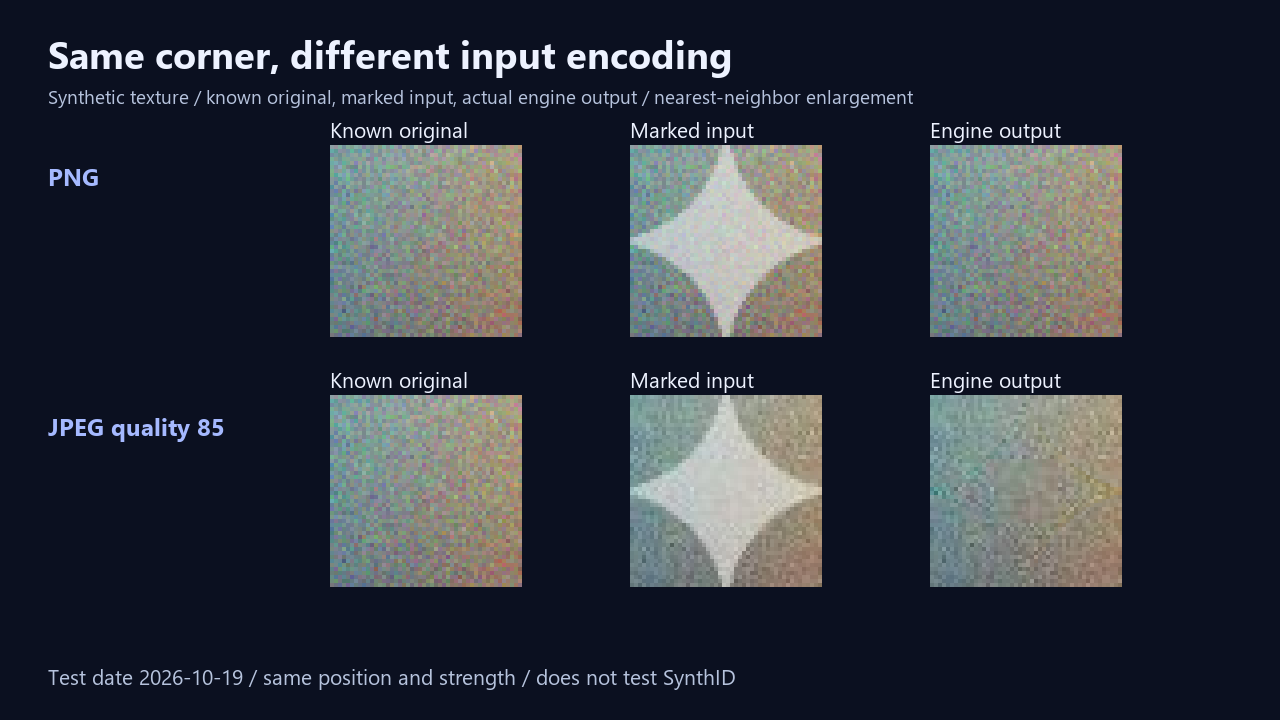
A whole star still visible after processing is a different observation from a faint halo after the main mark has gone. Make sure the box covers the mark, including its glow, before treating compression as the explanation. Review the original and result at the same display scale. If the box is misplaced or the size is wrong, correct that first. The experiment deliberately fixed those variables; your file may not match them.
If alignment is correct, compare with an earlier, unedited download rather than repeatedly cleaning the same result. Sending an image through a messaging app, taking a screenshot, resizing it, or re-saving it can introduce additional changes. The local test specifically varied JPEG encoding. It did not measure every sharing app, screenshot workflow, or resized image, so those causes require separate checks.
What this test does not establish
This test used two artificial scenes and the current site alpha map. It does not measure how often the tool succeeds on real Gemini images, establish that any model or subscription always adds a visible mark, or demonstrate removal of invisible SynthID. The PNG controls were close to the originals but not pixel-perfect: rounding left maximum channel error 1. We therefore avoid describing either control as exact restoration.
The runs used Pillow 12.3.0 for encoding and a Node-isolated copy of the unchanged production cleanup function. They did not measure phone memory, browser speed, metadata retention, color-managed display differences, or browser-generated PNG byte sizes. Use the downloadable records to inspect the particular measurements, then judge your own saved image separately. The crop comparison enlarges source pixels with nearest-neighbor scaling so it does not invent new detail.
Questions about JPEG ghosts
Can a Gemini watermark remover fix a JPEG perfectly? Not as a general promise. This experiment found nonzero error even when we knew the original, placement, and mask. A compressed source gives the inverse calculation different inputs.
Does exporting the result as PNG undo earlier JPEG compression? No. Saving a cleaned PNG avoids another JPEG encoding step for that saved file, but the output format cannot recover information already discarded from its input.
Should I increase strength until the ghost disappears? Do not assume that more strength reconstructs the original. Keep an untouched copy, verify box placement, and inspect one saved result. This experiment held strength constant and did not compare strength adjustments.